


Instagram Automation: The Marketer's Field Guide for 2026

Quick Answer
Instagram automation uses approved Meta APIs and tools to handle DM auto-replies, comment-to-DM flows, story replies, and content scheduling without manual work. Done right, it stays inside Meta's policies (no spam, no engagement bots) and dramatically increases lead capture from Instagram traffic.
What You Can Automate (Approved by Meta)
DM auto-replies via the Instagram Messaging API.
Comment auto-replies on your own posts.
Comment-to-DM flows (when someone comments a keyword, send them a DM).
Story reply handling.
Scheduled posting via Meta Business Suite.
Drip flows triggered by user action.
What You Cannot Automate (Will Get Banned)

The line Meta draws: messaging automation through official APIs (DM replies, comment-to-DM, story replies, scheduling) is approved, while engagement-bot tactics like auto-follow, auto-like, bulk cold DMs, and bought followers get accounts banned.
Mass following or unfollowing.
Auto-liking other users' posts.
Auto-commenting on other users' posts.
Bulk DMing users who never interacted with you.
Buying or scraping followers.
These are the "engagement bot" tactics. Meta's algorithm and account integrity team detect them within days.
Top Three Automation Workflows
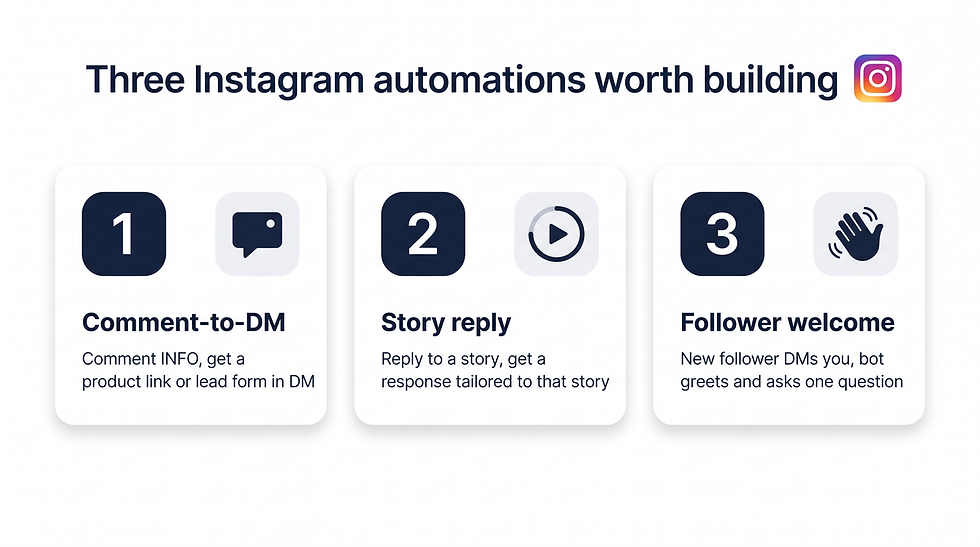
The three highest-leverage Instagram automations: comment-to-DM lead capture, story-reply auto-response, and a new-follower welcome flow that qualifies the lead with one question.
Comment-to-DM lead capture: when someone comments "INFO" on a post, automatically DM them a product link or lead form.
Story reply auto-response: when a user replies to a story, send a tailored response based on which story they replied to.
New follower welcome: when a user follows your account and DMs you, the bot sends a personalized greeting and asks one qualifying question.
Tools Built for Instagram Automation
ChatBooster, ManyChat, MobileMonkey, Trengo. ChatBooster covers Instagram automation alongside WhatsApp, Facebook Messenger, Threads, and TikTok in one workspace.
Setup Checklist
Convert account to Instagram Business or Creator.
Connect to Meta Business Manager.
Authorize your automation tool via Meta's official OAuth flow.
Submit your automation flows for in-house review.
Test with personal account before going public.
Common Mistakes
Sending the same DM to everyone (looks spammy, low conversion).
Not labeling automation ("Hi from our bot — happy to connect a human").
Forgetting that Meta limits DM length and frequency.
Ignoring opt-out signals.
How ChatBooster Powers Instagram Automation
ChatBooster connects to Instagram through the official Meta Messaging API, so every automation — DM auto-replies, comment-to-DM flows, story reply handling, follower welcome — stays inside Meta's approved policies. The drag-and-drop flow builder lets non-developers ship the three workflows above (comment-to-DM, story reply, follower welcome) in under an hour, with built-in bot labeling and human handoff baked into every node.
Because the same workspace also handles WhatsApp, Facebook Messenger, Threads, TikTok, and live chat, a lead captured from an Instagram comment can drip into a WhatsApp follow-up without any cross-tool engineering. Try ChatBooster free and automate your first compliant Instagram flow today.
Frequently Asked Questions
Will Instagram ban me for using automation tools?
Not if you use Meta-approved tools and stick to allowed automation patterns. Engagement bots (auto-like, auto-follow) get bans; messaging automation through official APIs is fine.
Can I automate Instagram comments on competitors' posts?
No. Automated commenting on third-party posts is against Meta's terms.
Does Instagram automation work for organic reach?
Yes. Comment-to-DM flows boost engagement on posts (more comments) and increase post reach. The DMs themselves are private.

ChatBooster connects an Instagram Business or Creator account through the official Meta Messaging API and runs comment-to-DM, story-reply, and follower-welcome flows alongside WhatsApp and Messenger — with bot labeling and human handoff built into every node.
Key Takeaways
Approved automation: DM replies, comment-to-DM, story replies, scheduling.
Banned automation: auto-follow, auto-like, third-party comment automation.
Use only Meta-official tools to stay safe.
ChatBooster handles approved Instagram automation alongside other channels.
Automate Instagram DMs free with ChatBooster.


Comments